A CompanyCam alternative that doesn't charge per person
Crew Photos gets you before and after photos from every job, filed under the customer and the address, and turns them into proof for the customer, posts for social media and a gallery for your website. One flat monthly price covers your whole company, so adding a crew member never raises the bill.
Try the crew demo
Click around a live demo with a month of made-up jobs, or see what's in each plan: Crew Photos is $99 a month for your whole crew.
Try the demo →See pricingWhy crews look for a CompanyCam alternative
Common reasons, in their words.
Every new person costs more
CompanyCam's plans each include a set number of users, and every person past that is a monthly charge of its own. Its entry plan now caps how many people can be on it at all.
Crew Photos is $99 a month for your whole crew ($79 a month paid yearly), plus a one-time $199 setup. Every crew member and office person is included. Add ten more people and the bill stays the same. See pricing →
Photos still go missing
A photo app only works if the crew remembers to open it. In Crew Photos the job can't be marked done without its before and after photos, so they're there every time. If a photo comes out blurry or too dark, the phone says so right away, while the crew can still take another.
The marketing part costs extra
Showing your work on your own website shouldn't be an add-on. Star your best jobs and they appear in your website gallery by themselves: paste one piece of code into your site once, and new work shows up as you star it. It's included.
What you get
Everything a crew and an office need from job photos.
The office sends the job, the crew takes the photos
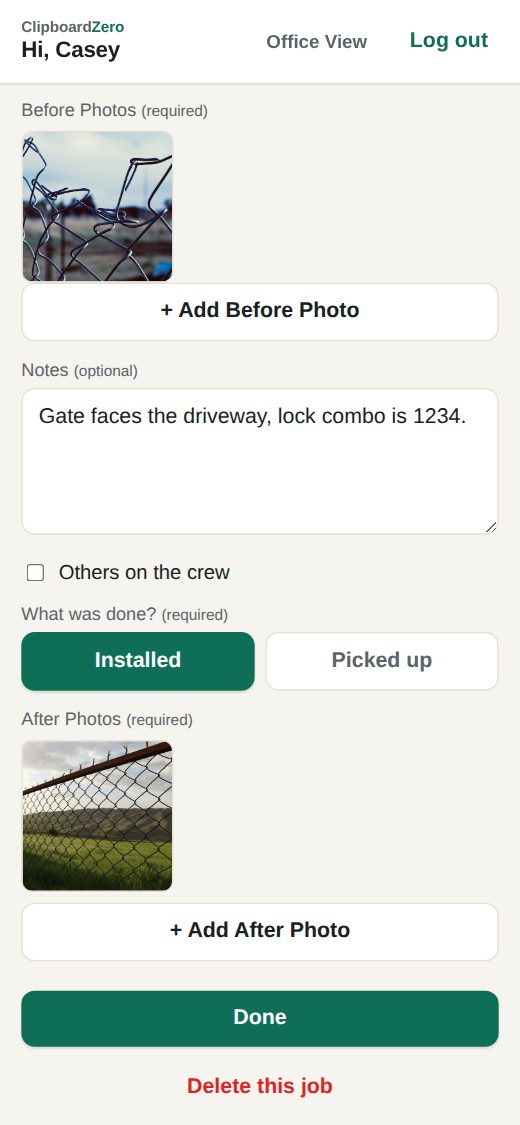
The job goes to the crew's phone with the address, directions and anything the office attached, like a layout or a photo of the yard. Before photos on arrival, after photos when done. No signal on site? The photos wait on the phone and send themselves.
Proof of when and where
Turn on one setting and the date, time and address are printed on every job photo, for disputes and insurance claims. Draw arrows, circles and notes on a photo to point out the problem. The original is always kept.
Send the customer their photos, and ask for a review
One tap makes a link to the job's before and after photos. Text or email it from your own phone or mailbox; the customer opens it with no login or app, and a Leave us a review button sends happy customers straight to your Google review page.
Before and after posts, ready for Facebook and Instagram
Pick the before and the after, and you get a side-by-side picture with your logo, sized for the feed. The AI writes the caption from what the crew did and what's in the photos, never the customer's name or address. Edit it, copy it, post it.
Find any photo by what's in it
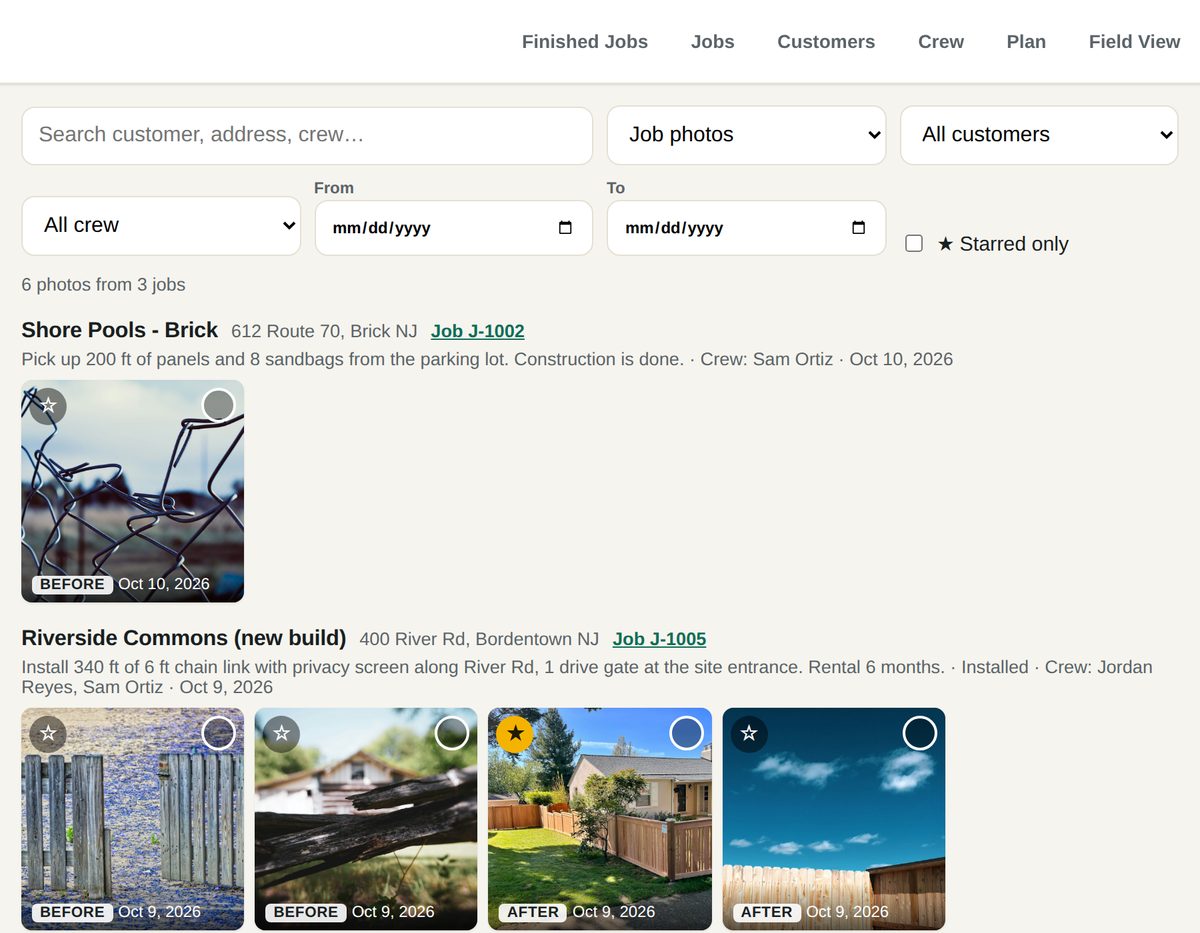
Search by customer, address, crew or date, or by what's in the photo: "black aluminum gate", "rusted post". The AI reads each photo as it comes in. Print or save any job as a photo report.
Side by side
| Clipboard Zero Crew Photos | CompanyCam | |
|---|---|---|
| Price | $99 a month for the whole crew, plus a one-time $199 setup | Plans with a set number of users; each extra user is a monthly charge |
| Getting the photos | The job can't be marked done without its before and after photos; blurry or dark ones are caught on the spot | Photo checklists, depending on plan |
| Website gallery | Included | Part of a paid marketing add-on |
| Jobs from the office | The office sends each job to the crew with the address and attachments | Projects and task assignment, depending on plan |
| Your data | On your company's own private server | On the vendor's shared platform |
| Room to grow | Move up to timecards, signed tickets, quotes and invoices in the same app | Connects to other apps for those |
Pricing models as of October 2026, from each company's public pricing and published reviews. Check their sites for current plans.
What switching looks like
Most of it is done for you.
- Pick your plan. Service, Projects or both. Setup is a one-time $499.
- Your server is set up. Your company gets its own web address and logins, and your existing customer list can be loaded in for you.
- Your techs open a link. It works on any iPhone or Android and goes on the home screen like any other app.
- A short training call for the office, and the quick guide for everyone.
Every job's photos, one flat price
$99 a month for your whole crew, everyone included.
Get in touch →Try the demo