Snap the receipt. The invoice drafts itself.
Your tech photographs the receipt and writes what they did. Clipboard Zero's AI reads both, works out what was used on that job, and drafts the invoice, priced from your own price book. Your office checks it and taps Approve & send. No more typing up tickets at the end of the day.
Watch it draft one
The demo has invoices the AI already drafted from real-looking receipts. Open one and see where every price came from.
Try the demo →Get a priceHow it works
Three steps, and only one of them is the office's.
The tech does the job and snaps the receipt
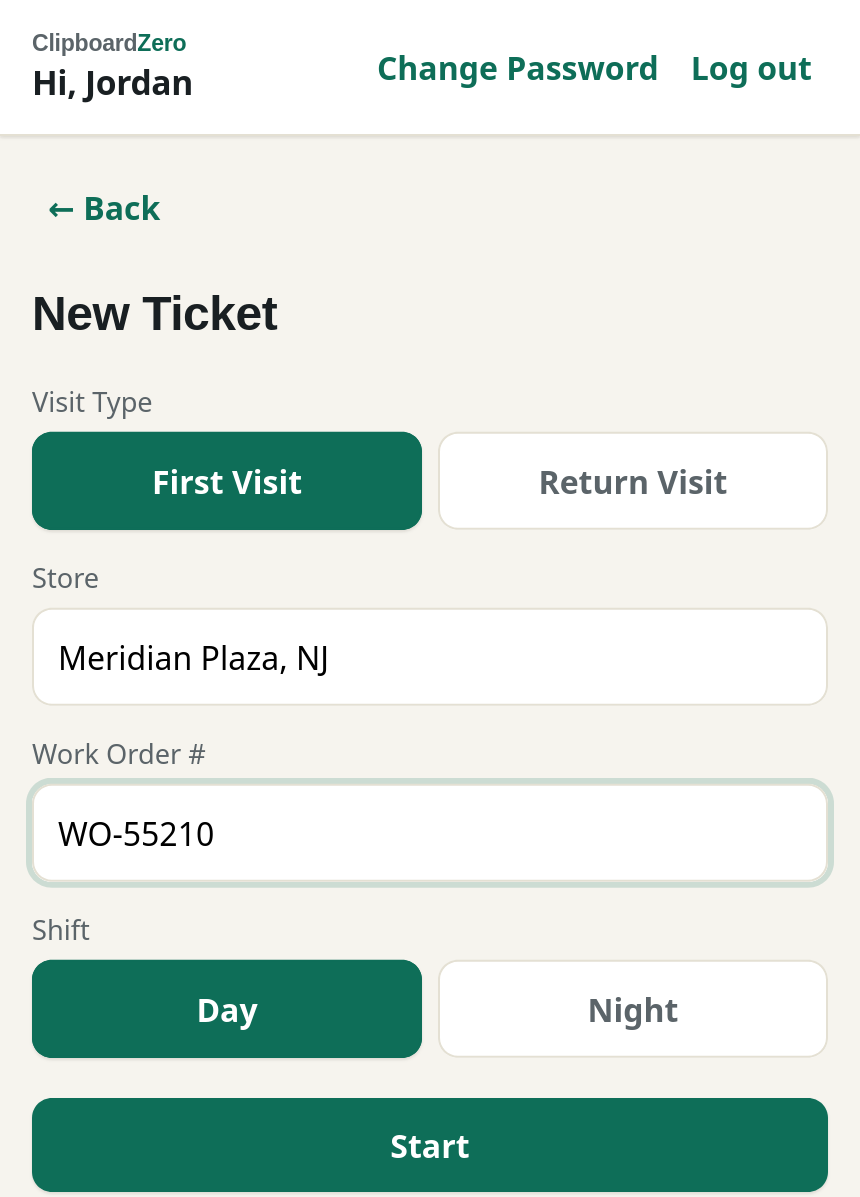
On the phone, the tech writes what they found and did in plain words, and taps + Add Receipt Photo for anything they bought. No typing out items or prices. Parts from the van or the shop are picked from a list.
Start and finish times log themselves, so labor is already on the ticket.
The AI drafts the invoice
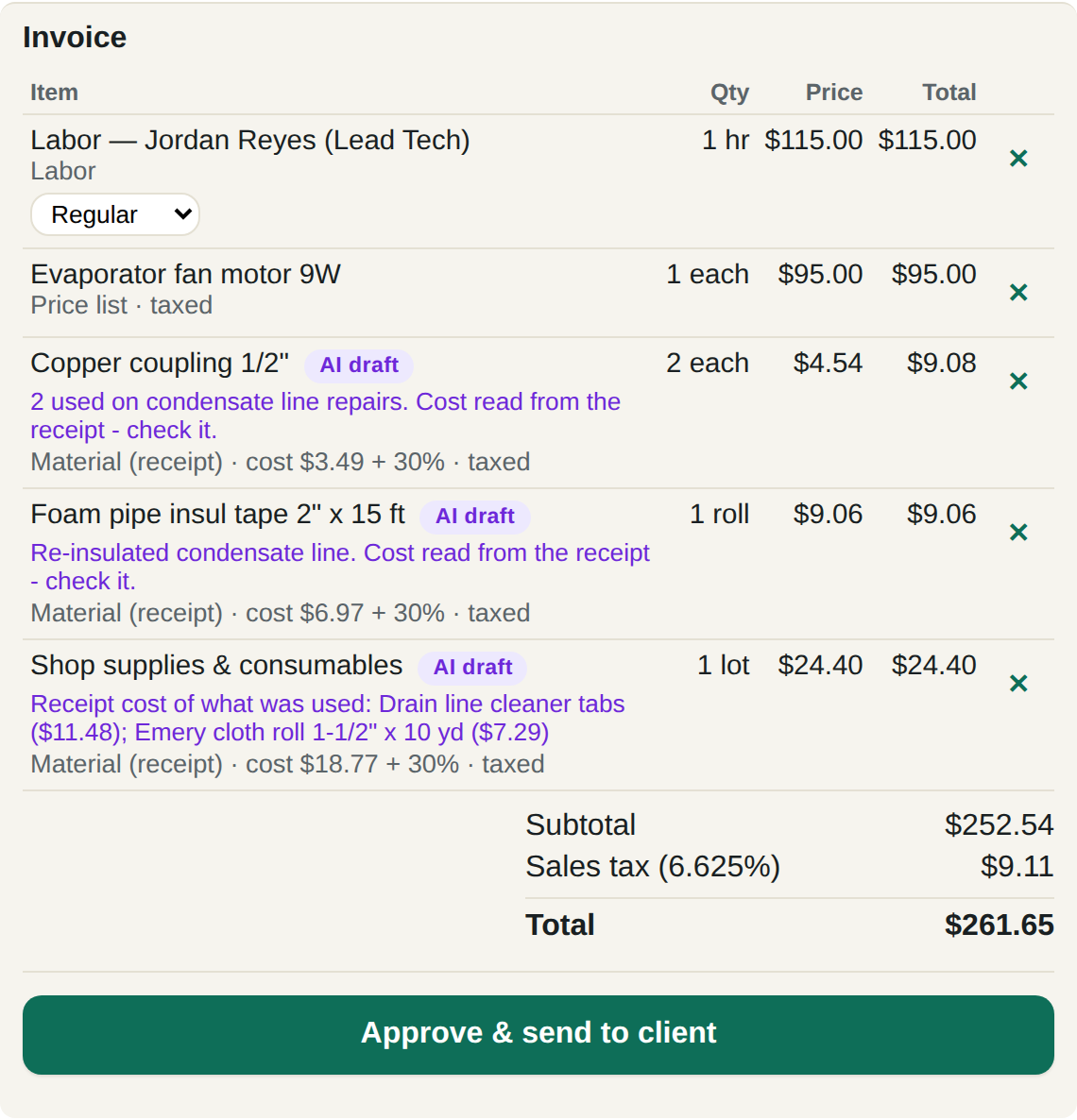
When the ticket comes in, the AI reads the receipt and the notes and drafts the invoice:
- Labor from the ticket times, at your rates for that tech's level and the time of day.
- Parts from the van at your price list price.
- Receipt items at cost plus your markup, with a note to check what it read.
- Part of a pack? If the tech used 2 tabs out of a 12-pack, it bills what was used, not the whole pack.
- Small stuff like tape and cleaner goes on one shop-supplies line, if that's how you bill.
Every line shows where its price came from, like "cost $3.49 + 30%". The AI never makes up a price.
The office approves it
Your office gets a notification that a draft is ready. They read it, fix anything that looks off, and tap Approve & send to client. Nothing goes to a customer until someone approves it. Over the customer's not-to-exceed amount? Sending is locked until they approve the higher amount.
Quotes work the same way
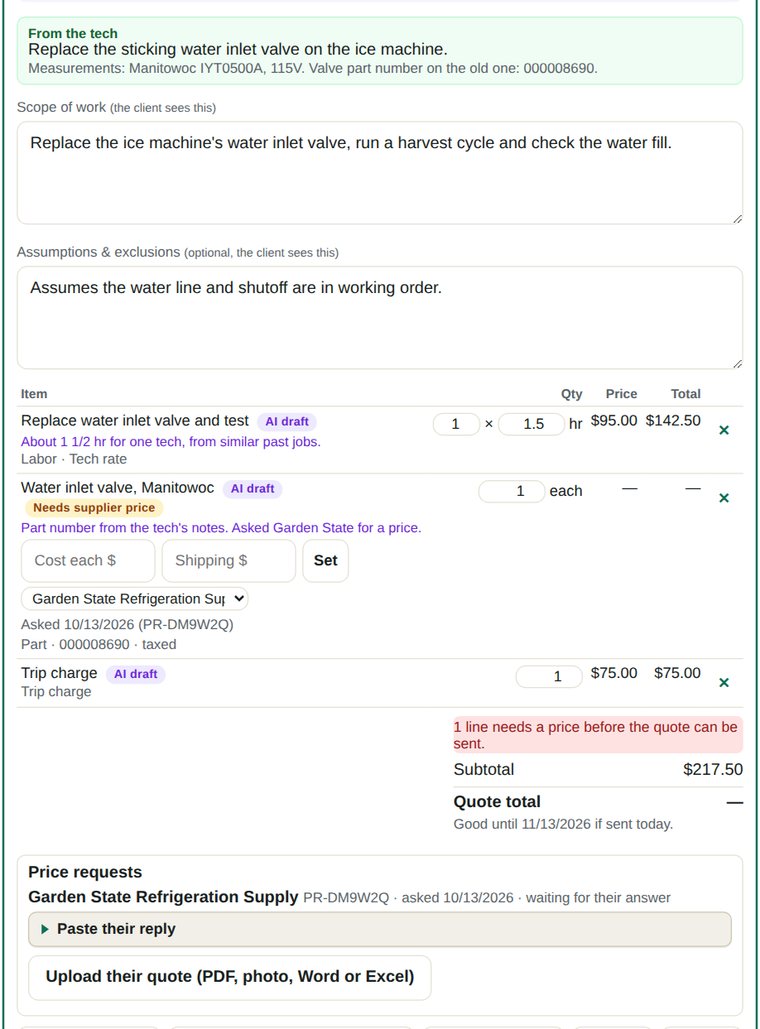
The AI drafts them and asks your suppliers for prices.
When a job needs a quote, the tech writes what needs doing and photographs the equipment's nameplate. The AI drafts the scope of work, the labor and the materials. For parts it doesn't have a price for, it emails your suppliers with the part numbers and the nameplate photo, then reads their answers, even an attached PDF, photo, Word or Excel quote, and fills in the prices and shipping.
Your customer approves the quote from their phone and can pay a deposit.
Questions about the AI
Does the AI set my prices?
No. Prices come from your price book: your labor rates, your price list and your markup. The AI only works out what was used and which price applies.
Can it send something without us seeing it?
No. Every invoice and quote is a draft until someone in your office approves it.
What if it reads a receipt wrong?
Each line it read from a receipt says "cost read from the receipt, check it", and the receipt photo is right on the ticket, so it takes seconds to compare. Fix the number and send.
Does it cost extra?
AI invoicing and quoting is part of the Office + AI package, one flat monthly price for your whole company. See the packages.
Stop typing up tickets
Your techs already take the photos. Let the invoices write themselves.
Get a price →Try the demo