A ServiceTitan alternative sized for a 2-to-20-tech shop
ServiceTitan is built for big operations. If you run a smaller crew, Clipboard Zero gives you jobs, dispatch, tickets, quotes and invoices, with a written price up front, one flat monthly price for everyone, and AI that does the office's typing.
See it before you decide
Click around a live demo with a month of made-up jobs, or tell me how your company works and I'll give you an exact price.
Try the demo →Get a priceWhy smaller shops look past ServiceTitan
Common reasons, in their words.
You can't see the price until you talk to sales
ServiceTitan doesn't publish its prices. You get a quote from its sales team, and published reviews describe pricing per technician plus separate setup fees.
With Clipboard Zero you get a written price after one conversation about how you work: one flat monthly price for the whole company and a one-time setup. No per-tech math.
You're paying for software you'll never open
A two-to-twenty-tech shop doesn't need a call center, a marketing suite and a dozen add-ons. Clipboard Zero comes in packages you can mix: start with paperless tickets, add quotes and invoicing, add AI when you're ready. Need something that isn't listed? You get a written estimate and it's built in as a setting.
Months of setup
Your server is set up for you, your customer list can be loaded in, and training is a short call. Techs open a link on their phone: there's nothing to install. Most of the office learns it from the quick guide.
What you still get
The parts of a big system a small shop actually uses.
Jobs, dispatch and a schedule
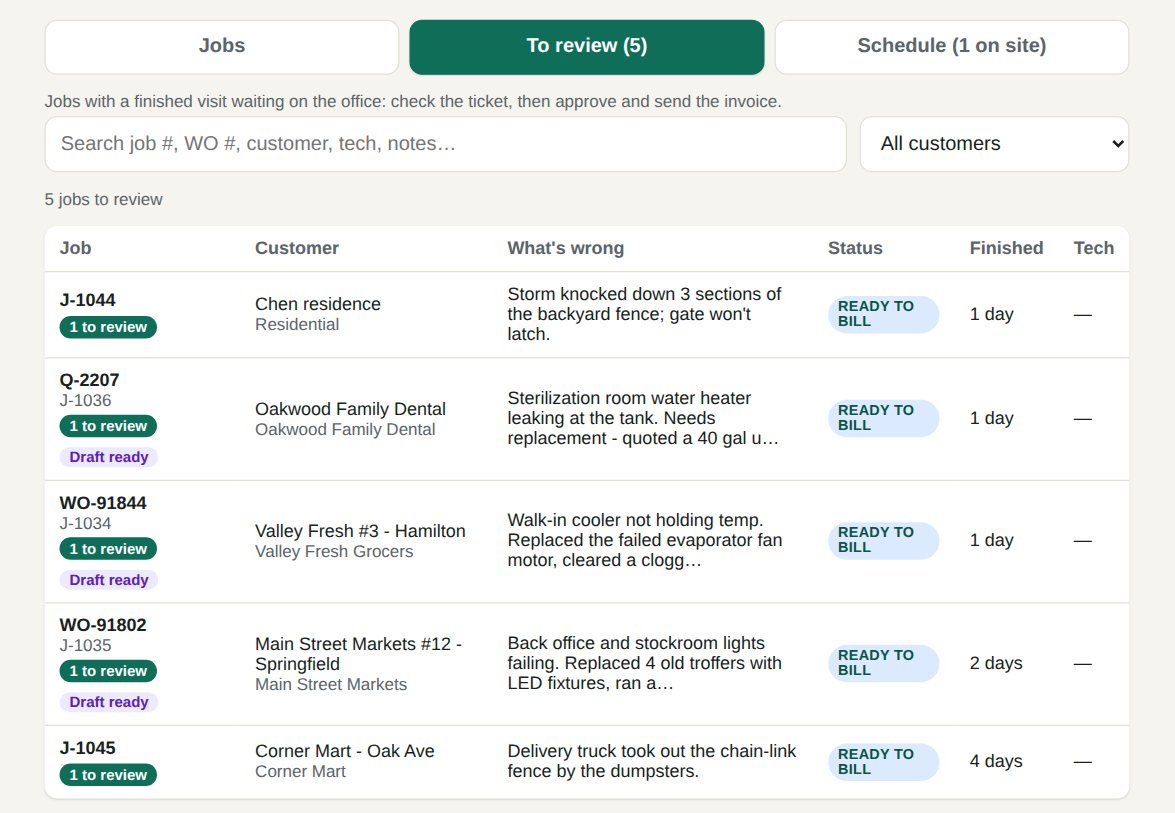
Take the call, create the job, send it to a tech's phone. The Jobs page shows what's waiting on parts, on a quote, on a return visit or ready to bill, and the Schedule shows who's on the way and who's on site.
AI invoices and quotes your office approves
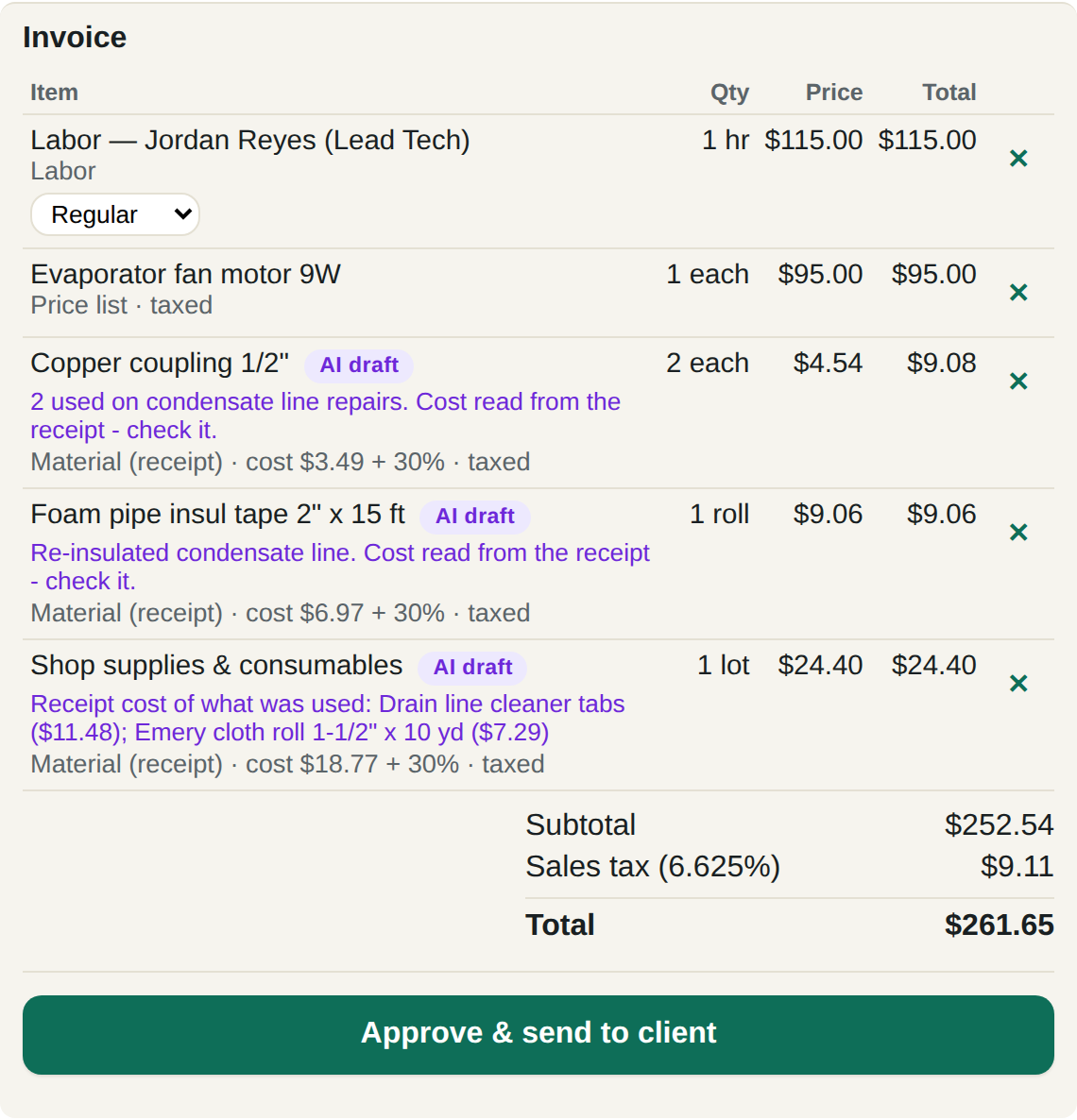
The tech snaps the receipt and writes what they did. The AI reads both, works out what was used on that job and drafts the invoice, priced from your own price book, never made up. Each line shows where its price came from, like "cost $3.49 + 30%". Nothing goes out until your office approves it. How AI invoicing works →
Your own server
Your company gets its own private server in a data center near you, not a seat on a shared platform. Your tickets, photos and customer list are yours, backed up every night and watched around the clock.
Side by side
| Clipboard Zero | ServiceTitan | |
|---|---|---|
| Price | Written price up front: one flat monthly price for the whole company, plus a one-time setup | Quoted by sales; reviews describe per-technician pricing plus setup fees |
| Best fit | Shops of 2 to 20 techs | Larger operations |
| Setup | Done for you; a short training call | A longer onboarding project |
| AI | Drafts invoices from receipt photos and quotes with supplier prices; the office approves | Varies by package |
| Your data | On your company's own private server | On the vendor's platform |
Pricing models as of October 2026, from each company's public pricing and published reviews. Check their sites for current plans.
What switching looks like
Most of it is done for you.
- Tell me how you work. Your trades, your crew size, what you bill and how. You get an exact price.
- Your server is set up. Your company gets its own web address and logins, and your existing customer list can be loaded in for you.
- Your techs open a link. It works on any iPhone or Android and goes on the home screen like any other app.
- A short training call for the office, and the quick guide for everyone.
Get a real price today
Tell me how you work and you'll have a written price, not a sales sequence.
Get a price →Try the demo