A Housecall Pro alternative for crews that are growing
Clipboard Zero does the jobs, tickets, quotes, invoices and customer texts you'd use Housecall Pro for. It's one flat price however many people you add, it handles commercial clients with many sites and their own portals, and AI drafts your invoices.
See it before you decide
Click around a live demo with a month of made-up jobs, or tell me how your company works and I'll give you an exact price.
Try the demo →Get a priceWhy contractors look for a Housecall Pro alternative
Each plan caps your users
Housecall Pro's plans each include a set number of users, and growing past that means a bigger plan or a monthly charge per extra user.
Clipboard Zero is one flat monthly price for your whole company, plus a one-time setup. Every tech and every office person is included. Hire more people and the bill stays the same.
Commercial work doesn't fit a homeowner app
Clipboard Zero handles residential and commercial customers. A commercial customer can have many sites, its own rates and markup, a not-to-exceed amount, and its own work order numbers. If a client requires ServiceChannel or CorrigoPro, keep using it: the work order number goes on the ticket. More on client portals →
Invoices still get typed by hand
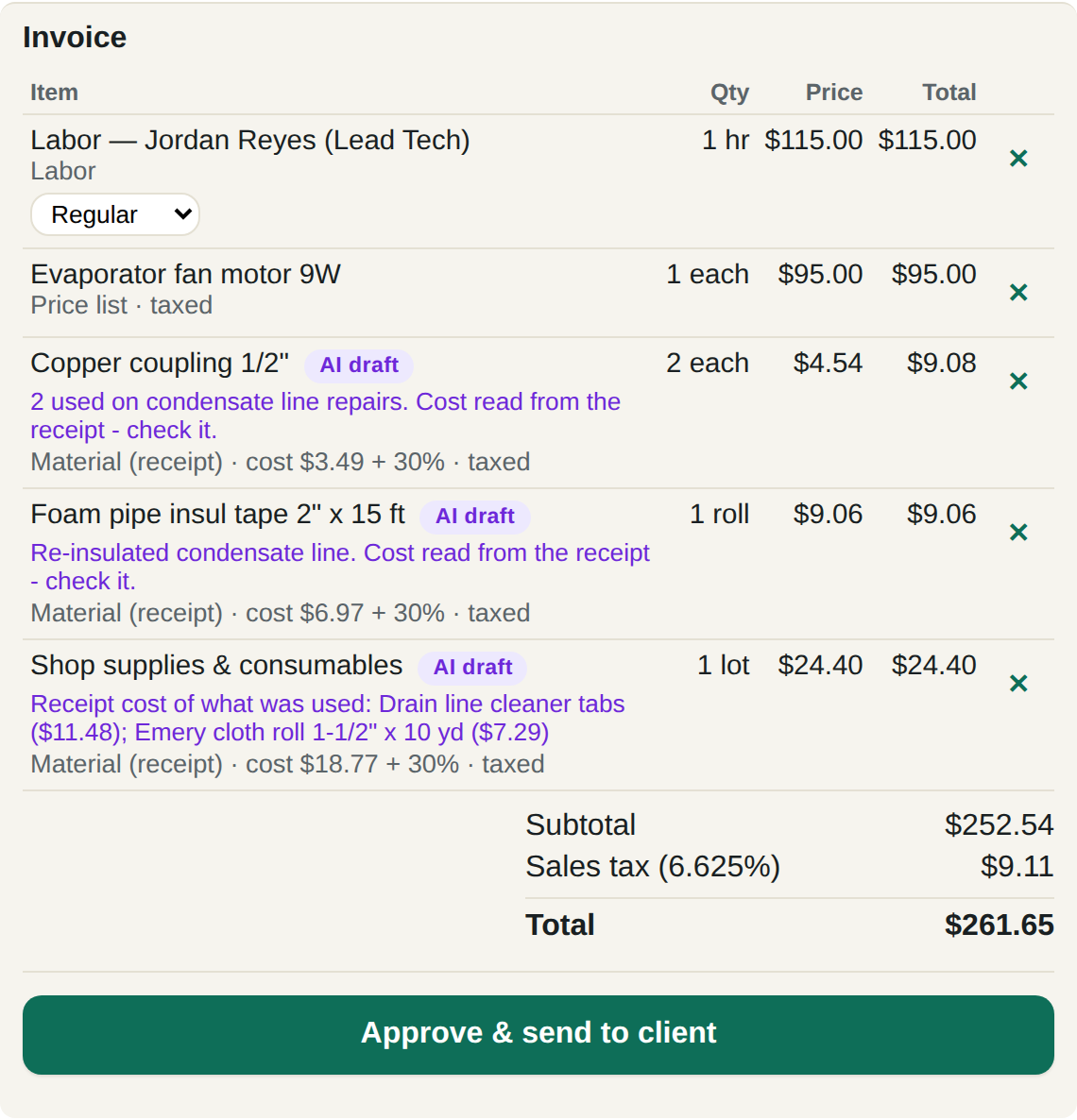
The tech snaps the receipt and writes what they did. The AI reads both, works out what was used on that job and drafts the invoice, priced from your own price book, never made up. Each line shows where its price came from, like "cost $3.49 + 30%". Nothing goes out until your office approves it. How AI invoicing works →
Side by side
| Clipboard Zero | Housecall Pro | |
|---|---|---|
| Price | One flat monthly price for the whole company, plus a one-time setup | Plans with a set number of users; extra users cost more each month |
| Customers | Residential and commercial, with sites, client rates, not-to-exceed amounts and work order numbers | Built mainly around home service customers |
| Invoices | AI drafts them from receipt photos and notes; the office approves | Built in the app from the job's line items |
| Your data | On your company's own private server | On the vendor's shared platform |
| No signal | Tickets, photos and signatures save on the phone and send later | Varies |
Pricing models as of October 2026, from each company's public pricing and published reviews. Check their sites for current plans.
What switching looks like
Most of it is done for you.
- Tell me how you work. Your trades, your crew size, what you bill and how. You get an exact price.
- Your server is set up. Your company gets its own web address and logins, and your existing customer list can be loaded in for you.
- Your techs open a link. It works on any iPhone or Android and goes on the home screen like any other app.
- A short training call for the office, and the quick guide for everyone.
Grow without the per-user bill
Two techs or twenty, the price is the same. Tell me how you work.
Get a price →Try the demo