Before and after photos from every job
For crews that don't need tickets or invoicing, just proof of the work. The office sends the job, the crew takes the photos, and every picture lands under the customer and the address, ready for your website and social media. No more chasing photos by text.
Try the crew demo
Click around a live demo with a month of made-up jobs, or tell me how your company works and I'll give you an exact price.
Try the demo →Get a priceHow it works
About a minute for the office, a few taps for the crew.
The office sends the job
Add the customer and what needs doing, pick who it goes to and the day. It's on their phone right away, with the address and directions.
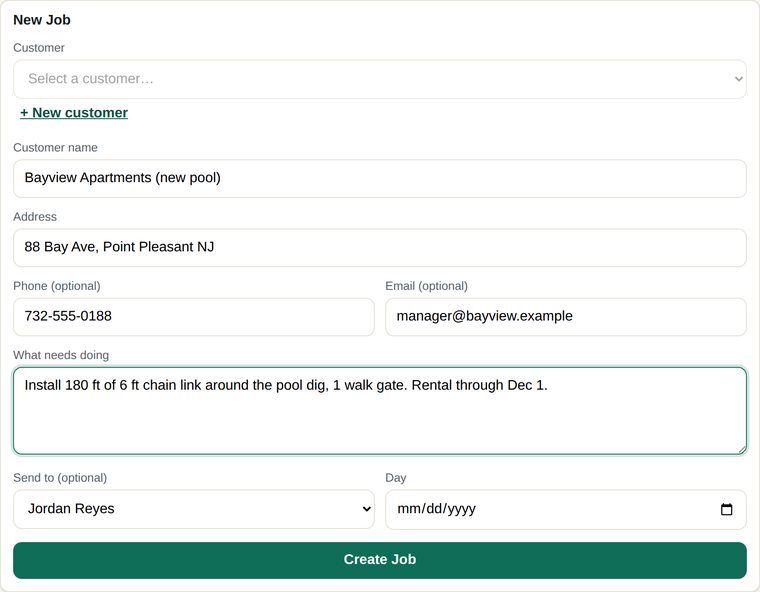
Send a layout or a photo with it
Got a fence layout, a photo of the yard or the rental agreement? Attach it to the job and the crew sees it under From the office, every time they open that job.
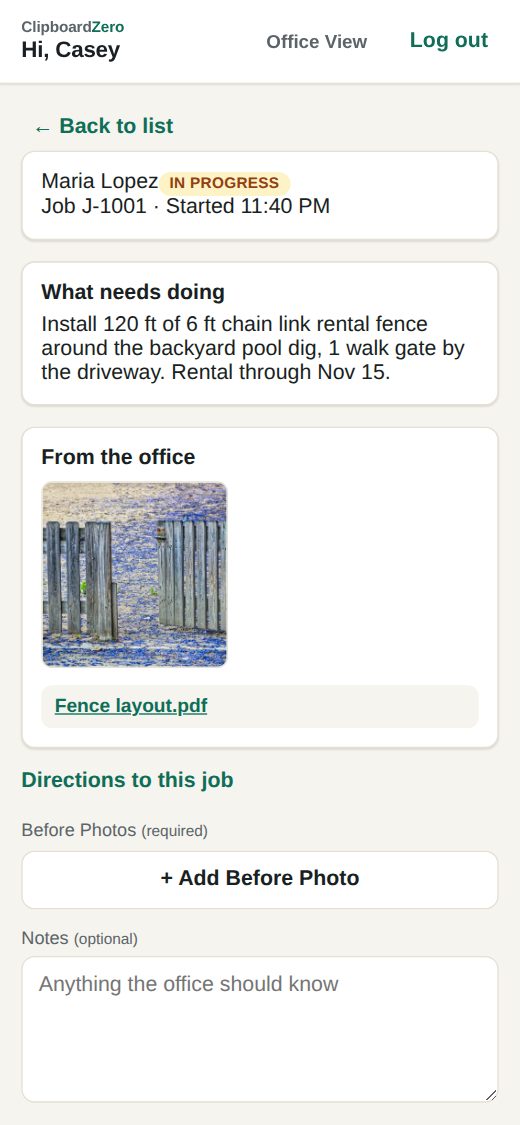
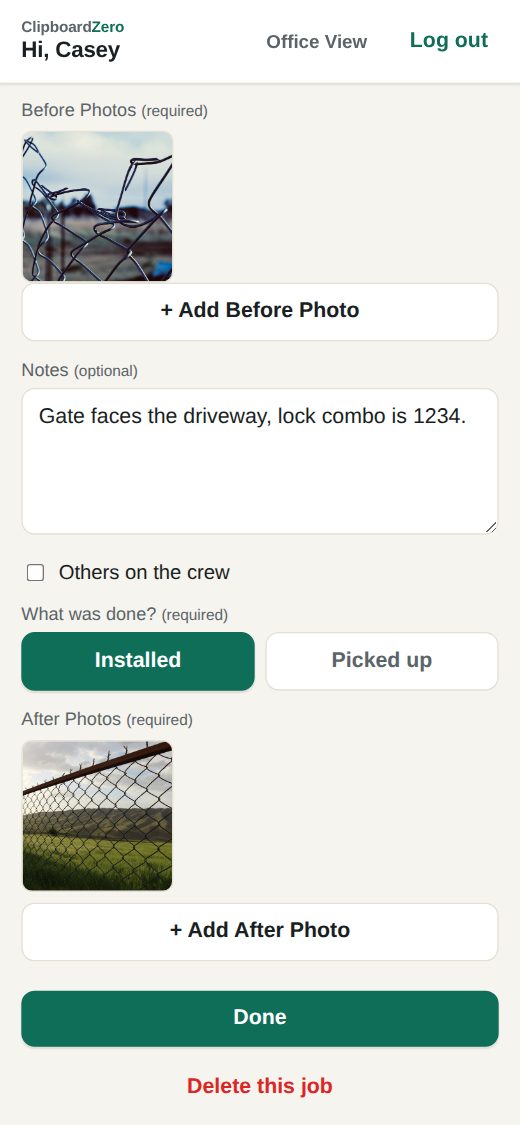
The crew takes the photos
Before photos when they arrive, after photos when they're done, a note if something's worth knowing, and Done. The job can't be marked done without the photos, so they're there every time. No signal on site? The photos wait on the phone and send themselves.
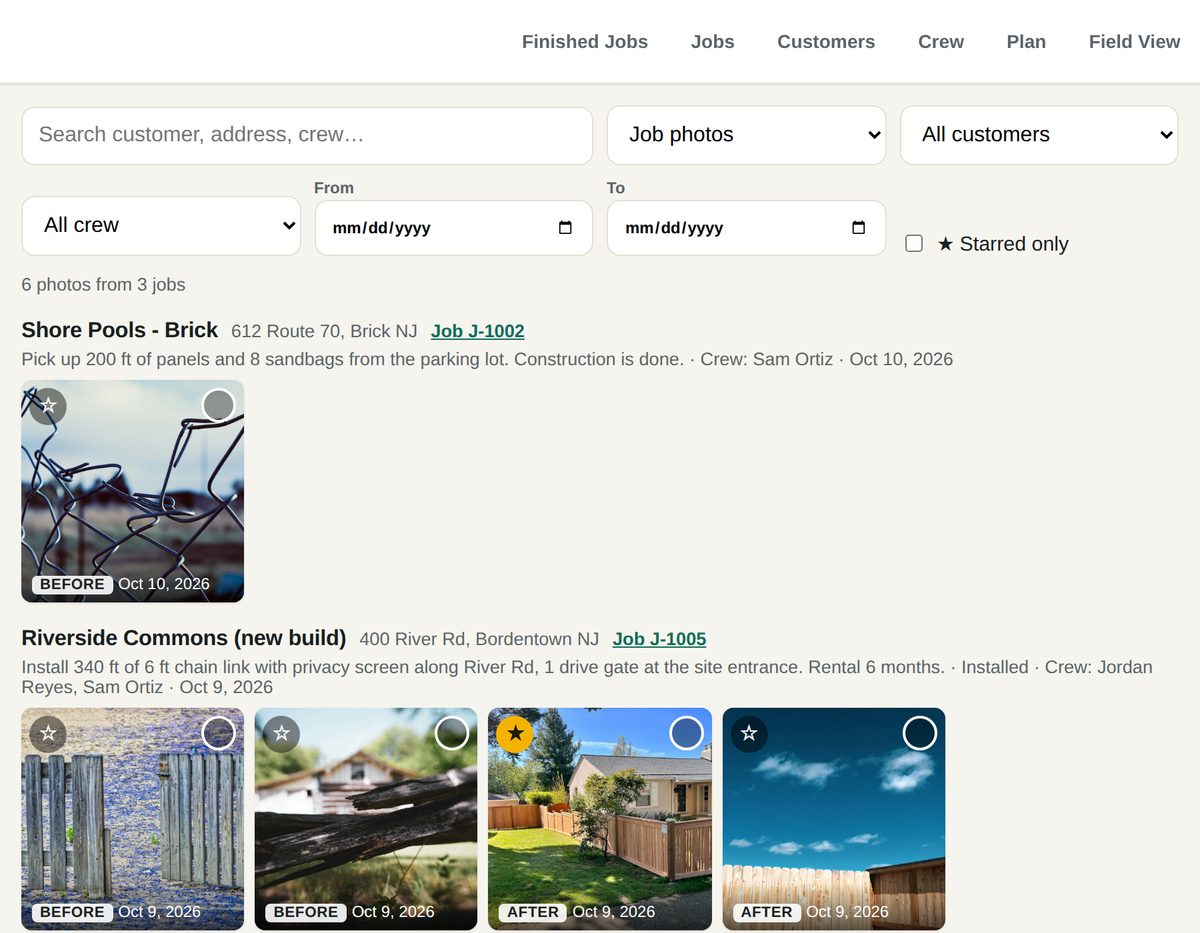
Every photo, under the job
Search by customer, address, crew or date. Star the good ones and download them, one at a time or a whole batch, for your website, social media or the customer.
What it costs
Clipboard Zero is one flat monthly price for your whole company, plus a one-time setup. Every tech and every office person is included. Hire more people and the bill stays the same.
Crew Photos is the smallest package, with only what photos take. If you ever want more, like crew timecards for payroll or tickets with customer signatures, move up to the Field package. You can move up or back down anytime. See the packages →
What switching looks like
Most of it is done for you.
- Tell me how you work. Your trades, your crew size, what you bill and how. You get an exact price.
- Your server is set up. Your company gets its own web address and logins, and your existing customer list can be loaded in for you.
- Your techs open a link. It works on any iPhone or Android and goes on the home screen like any other app.
- A short training call for the office, and the quick guide for everyone.
Photos from every job, without the chasing
Tell me how your crews work and I'll give you an exact price.
Get a price →Try the demo