For contractors whose clients run ServiceChannel or CorrigoPro
Your grocery, retail or property clients send work through their portal. Clipboard Zero runs your side of it: the tech's ticket with the client's work order number, photos and signature, the vendor time card they require, the not-to-exceed amount, and the invoice. Built by a tech who works these portals every day.
See it before you decide
Click around a live demo with a month of made-up jobs, or tell me how your company works and I'll give you an exact price.
Try the demo →Get a priceKeep their portal. Run your company on yours.
Clipboard Zero works alongside the portal; it doesn't replace it.
The client's work order number on every ticket
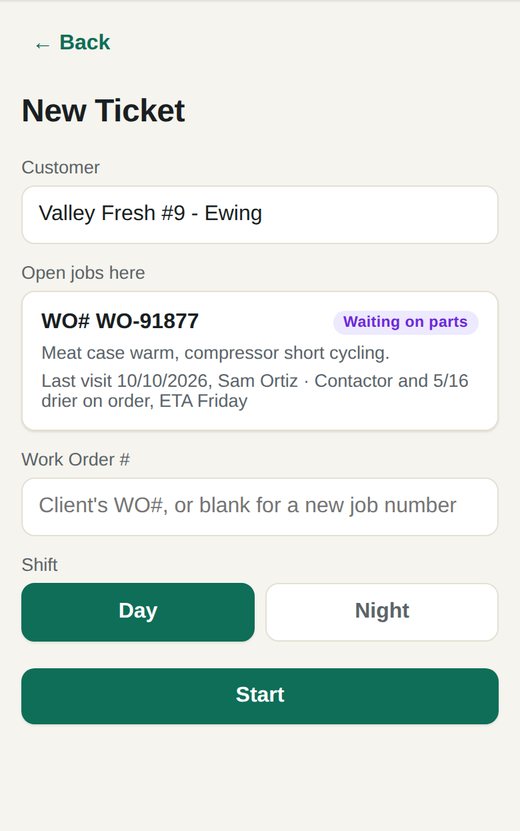
The tech picks the store and types the work order number from the portal. Coming back to the same work order? It's listed under Open jobs here, with the last visit's notes and the parts that were needed. Your paperwork matches theirs, number for number.
Multi-site clients, set up once
One client, many stores. Each store has its own address for the tech's picker, and the client has its own labor rates, markup and billing rules. The office sees every open job by store, and what each one is waiting on: parts, a quote, a return visit.
Vendor time cards and photos they require
If a client requires a photo of their vendor time card on every ticket, turn it on for that client: every ticket at their stores asks the tech for it, marked as required by that client. Before and after photos can be required on every job, and they all land on the job, ready to upload to the portal.
Not-to-exceed amounts that actually stop you
Put the work order's not-to-exceed amount on the job. If the invoice goes over it, sending is locked until the client approves the higher amount, so you don't eat the difference.
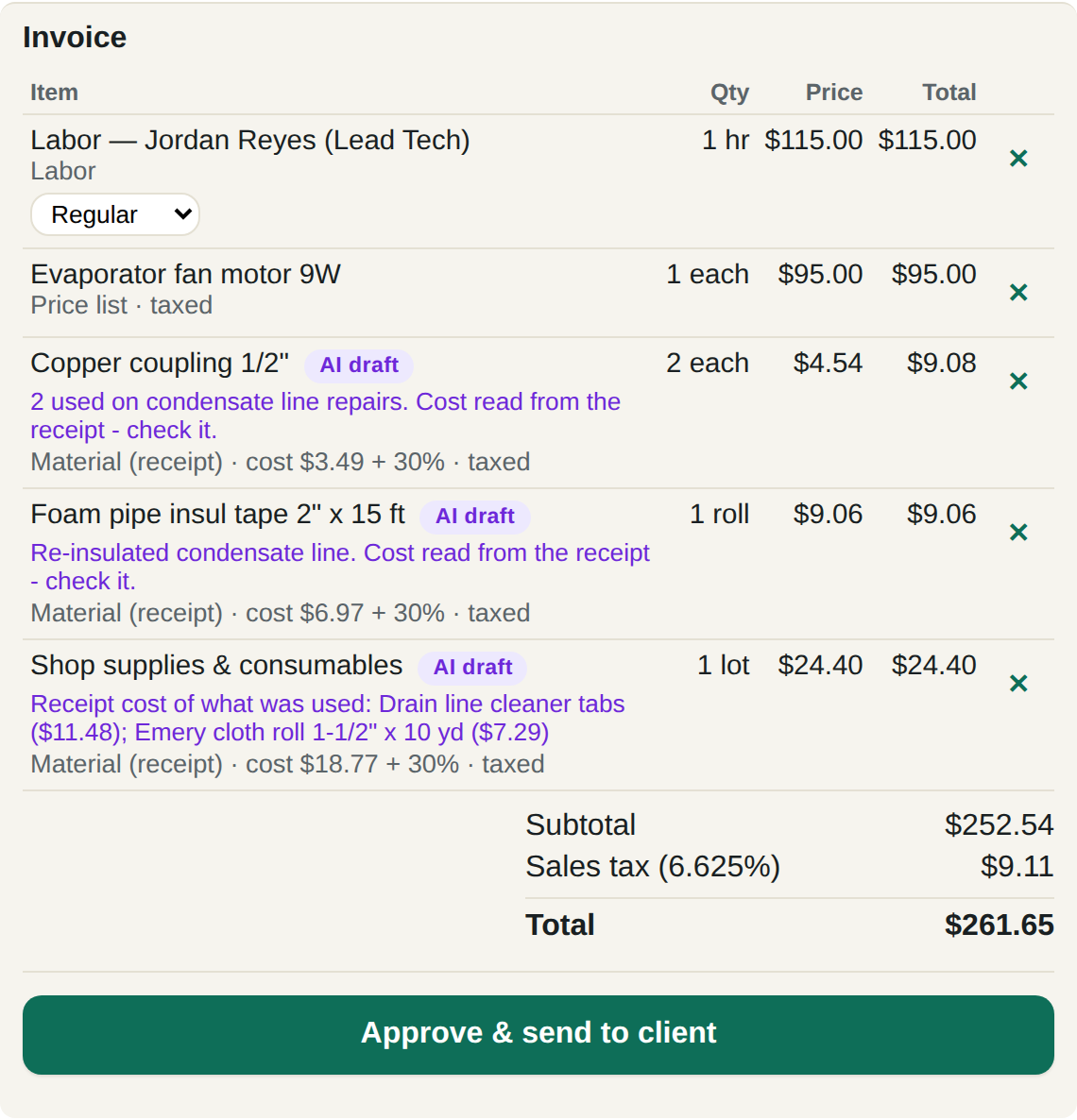
The tech snaps the receipt and writes what they did. The AI reads both, works out what was used on that job and drafts the invoice, priced from your own price book, never made up. Each line shows where its price came from, like "cost $3.49 + 30%". Nothing goes out until your office approves it. How AI invoicing works →
Return visits and parts
Parts on order? The tech marks the visit as a return trip waiting on parts, with the nameplate photo. Your suppliers get a price request automatically, and the job stays on the board as Waiting on parts until the office marks them in.
What switching looks like
Most of it is done for you.
- Tell me how you work. Your trades, your crew size, what you bill and how. You get an exact price.
- Your server is set up. Your company gets its own web address and logins, and your existing customer list can be loaded in for you.
- Your techs open a link. It works on any iPhone or Android and goes on the home screen like any other app.
- A short training call for the office, and the quick guide for everyone.
Built for portal work
Tell me which portals your clients use and how you bill them.
Get a price →Try the demo